
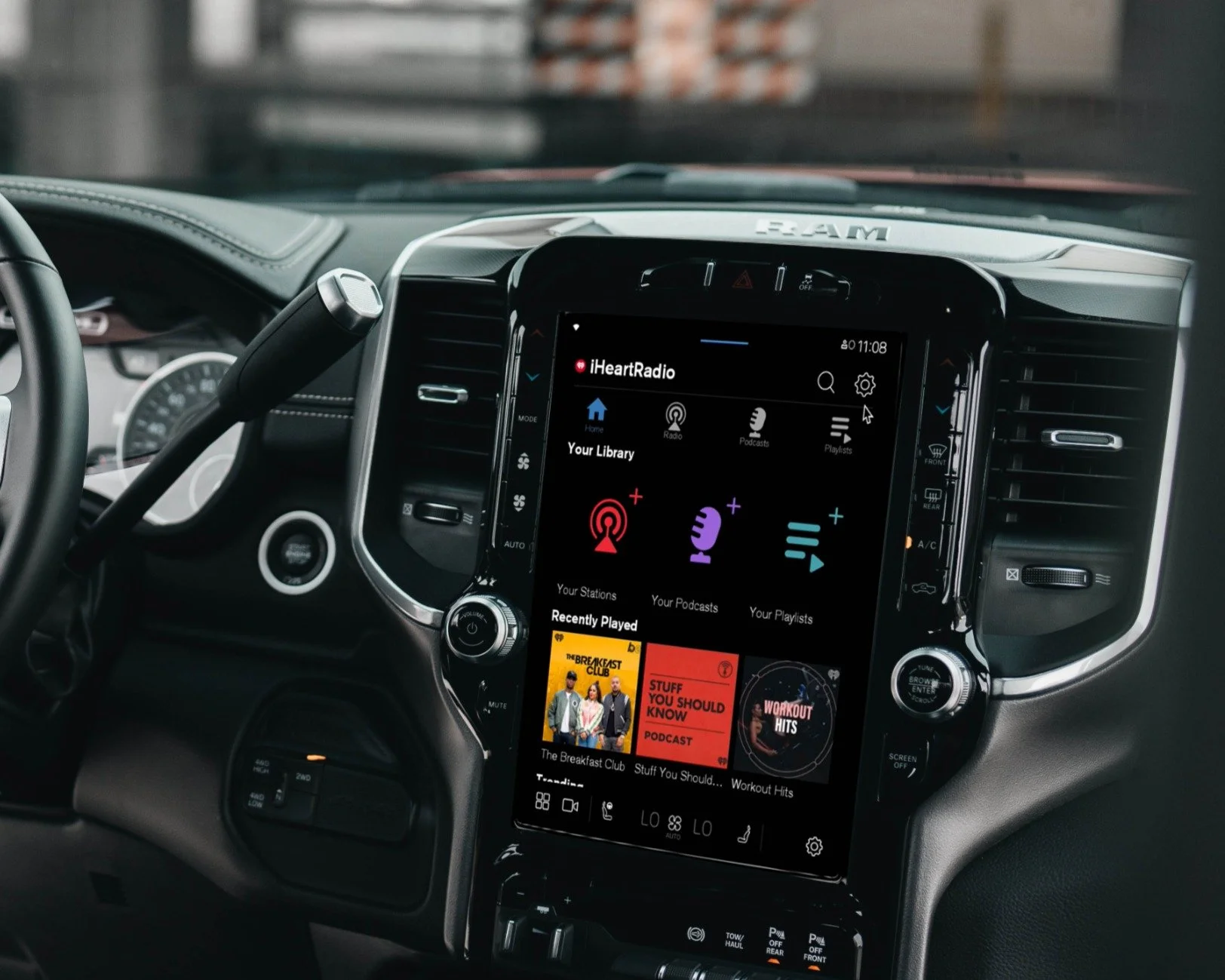
Podcast Downloads on Android Auto
iHeartMedia
About
Bringing offline podcast listening directly into the vehicle
Previously, the iHeart app integrated into vehicles including Volvo, GM, Ford, and Polestar did not support podcast downloads. Downloading podcasts makes it easy for users to listen without disruption when driving in areas without wireless coverage.
With the new podcast downloads feature, users can download selected podcast episodes directly to their vehicle for offline listening. The app also offers an auto-download feature, making it effortless to keep up with favorite podcasts by automatically downloading the latest episodes.
This project worked with the Android operating system directly embedded in a vehicle. Apps were installed within the vehicle itself — no smartphone needed.
Discovery
Defining goals and surfacing challenges
User Goal
Download podcasts before their ride and listen without needing an internet connection.
Business Goal
Ensure a frictionless listening experience by enabling users to easily manage downloaded episodes within the vehicle. Primary KPIs: CUME, ATSL, and drop-off rate.
Challenges

Android Auto constraints
Working within the templated automotive experience of the Android Auto OS imposed strict design limitations.

In-vehicle context
Crafting an experience tailored to an in-vehicle setting with safety and usability as top priorities.

Limited metrics
Analytics tagging was not previously supported on automotive — we had no data on in-vehicle user behavior.
Ideation
Designing around platform constraints
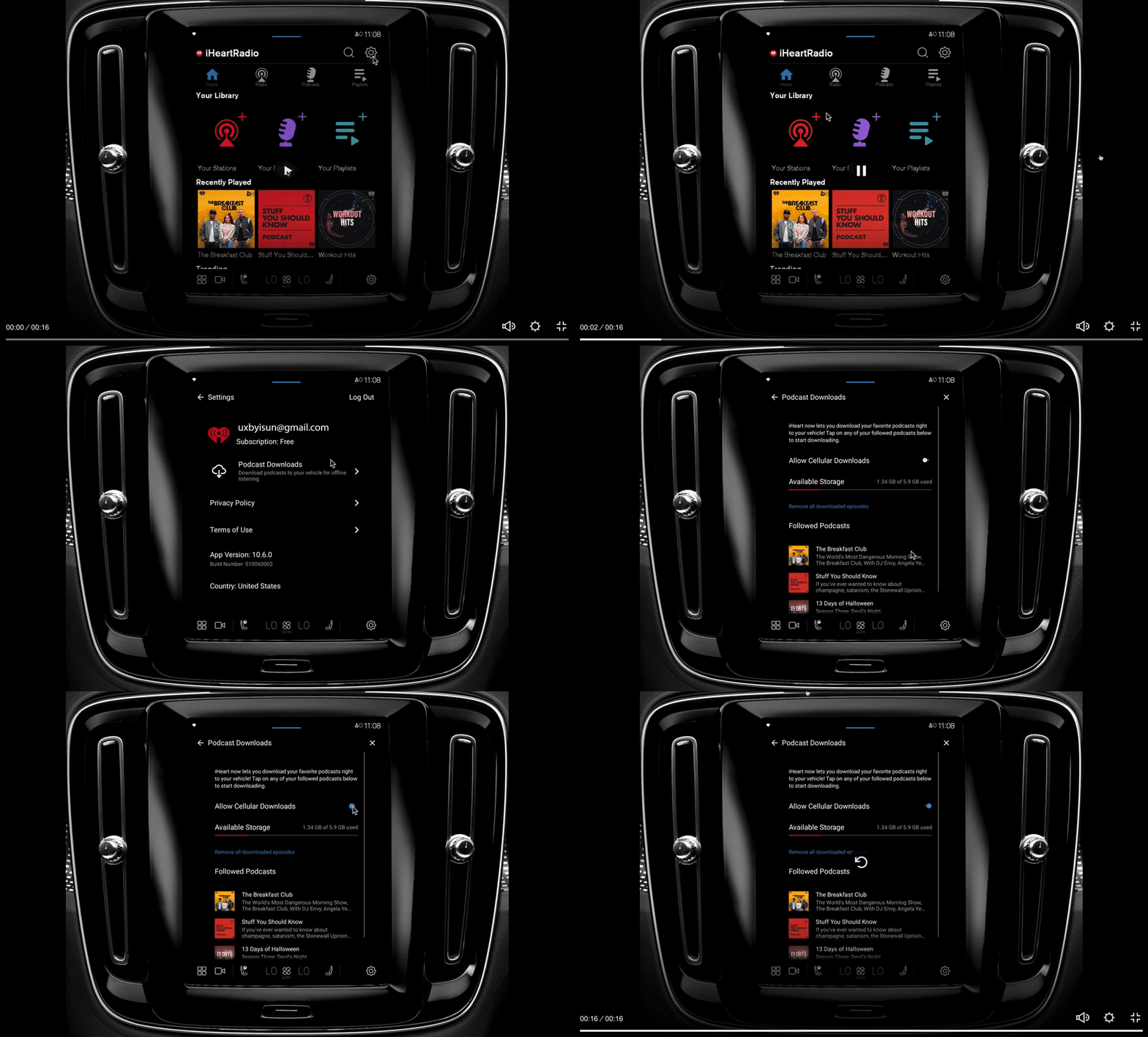
To work around the limited capability of Android Auto, we built a dedicated page in Settings where users can download podcasts. Users put their car in park and navigate to the Podcast Downloads section within Settings.
Podcast Downloads in Settings
This page provides an overview of the feature, instructions on how to download podcasts, available storage, and a list of followed podcasts.
Followed Podcasts
In the Followed Podcasts subpage, users can tap on individual episodes to download them manually or enable auto-downloads. If storage is running low, a warning message appears. To manage space, users may remove some episodes.

Browsing Downloaded Episodes
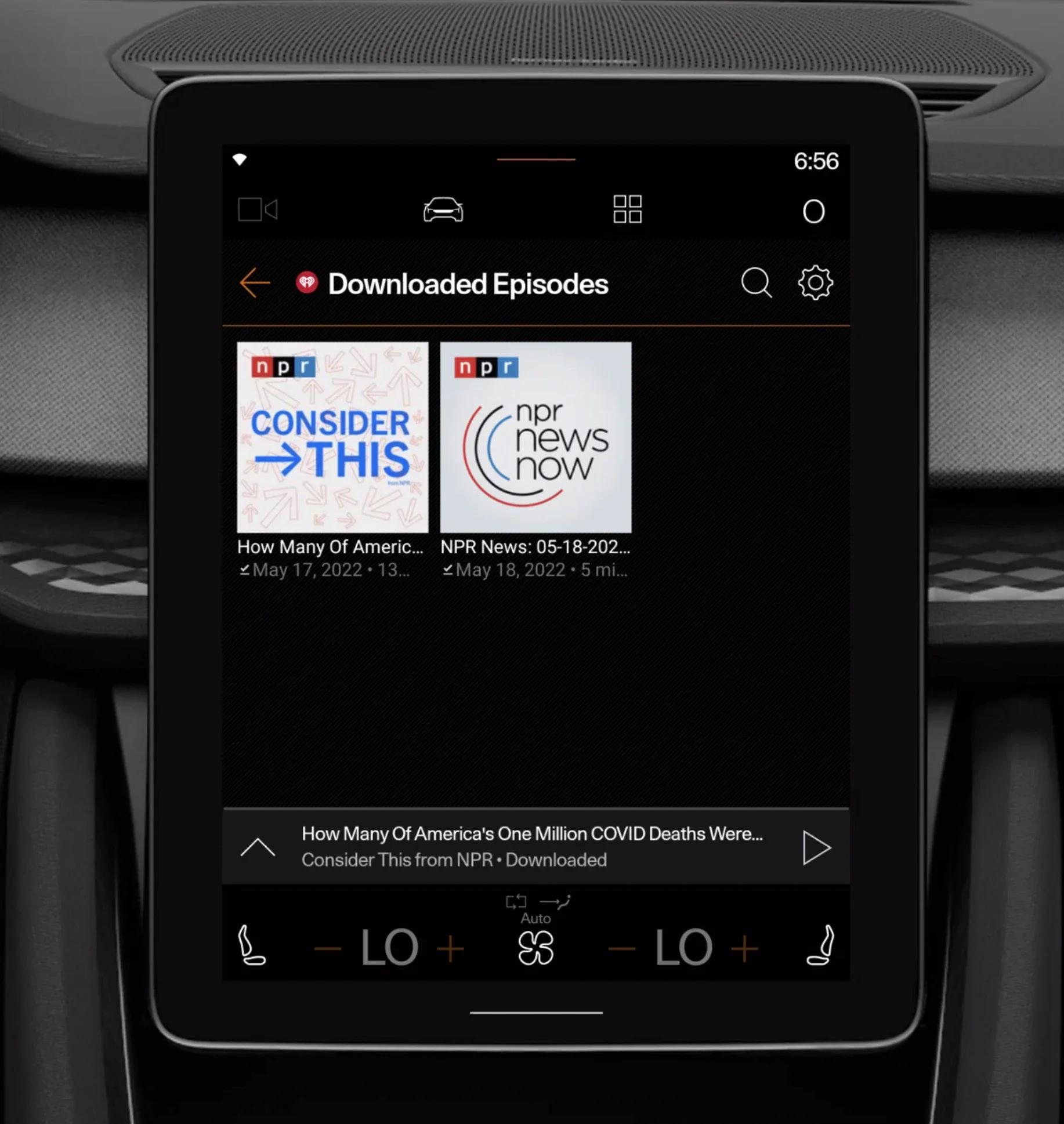
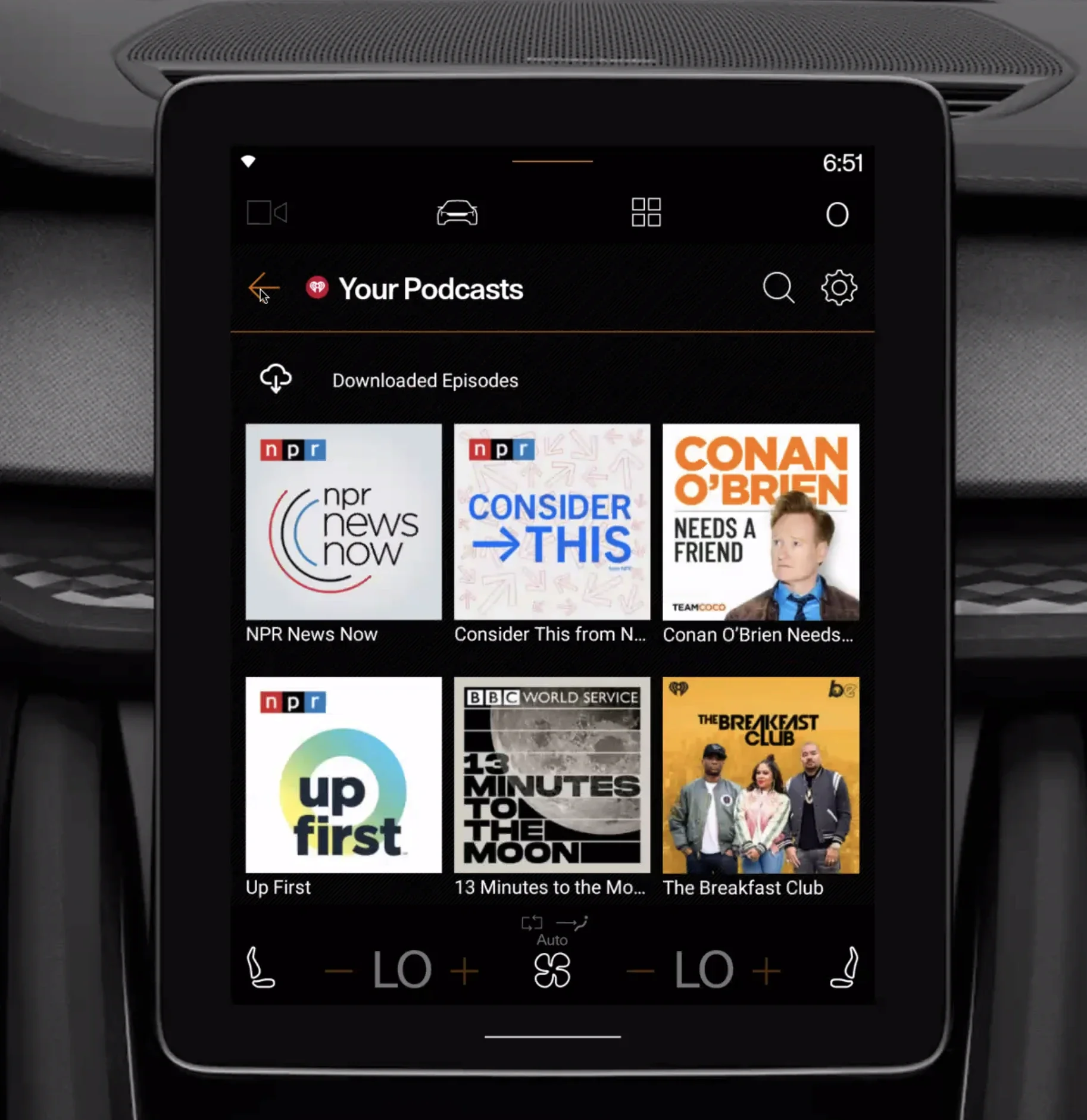
The Android Auto OS won't allow users to play content from the Settings page, so all downloaded episodes are playable on the browse page. After downloading, users can access them in the "Your Podcasts" folder under "Downloaded Episodes."
Iteration
Improving clarity and reducing driver distraction
Iterations focused on making the experience more intuitive and easier to use in a driving environment. The team simplified navigation patterns, reduced unnecessary interactions, and introduced clearer system feedback for downloads, storage limits, and offline states. The final experience improved discoverability of downloaded episodes while keeping interactions lightweight, glanceable, and consistent across different vehicle platforms.
The Outcome
Bringing offline podcast listening to Android Automotive
TPodcast Downloads launched across GM, Ford, Volvo, and Polestar vehicles, enabling users to download podcast episodes directly to their vehicle for uninterrupted offline listening without relying on connectivity. The experience introduced a lightweight and driver-friendly workflow for managing downloads, auto-downloads, storage limitations, and offline playback while working within Android Automotive OS constraints.
Impact
- Cross-Vehicle Scalability This feature enables the app to identify the vehicle model it is operating on, allowing a more tailored user experience based on specific car types. Development continues based on feedback from the initial rollout.
- New Behavioral Insights Adobe Analytics tagging enabled the team to better understand in-vehicle listening patterns, feature engagement, and offline usage behaviors across the AAOS platform.
Next Steps
- Improve discoverability and onboarding for Podcast Downloads
- Expand support across additional automotive partners
- Use analytics and user research insights to further evolve the offline listening experience